

TL;DR:
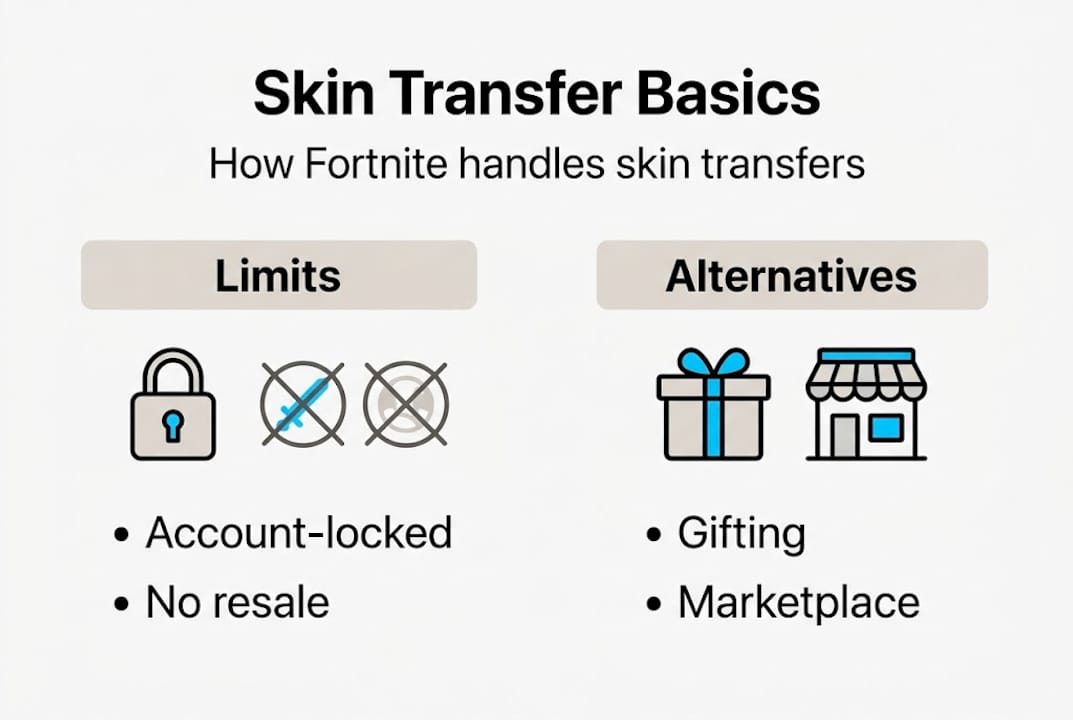
- Fortnite skins are permanently linked to your Epic Games account, making direct transfers impossible.
- Gifting only allows purchasing new skins for friends, not transferring owned skins between accounts.
- Buying verified accounts or using authorized marketplaces is the safest way to access rare or OG skins.
You’ve spent months building the perfect Fortnite locker, then you create a new account and immediately want those skins there too. It’s one of the most common frustrations in the Fortnite community, and the answer isn’t always obvious. The truth is, Epic Games doesn’t offer a direct skin transfer tool, but there are real, working options available. This guide walks you through exactly what’s possible, what the rules are, and how to get the skins you want on the account you actually play on, without risking your progress or getting scammed.
Key Takeaways
| Point | Details |
|---|---|
| No direct skin transfer | Fortnite skins cannot be moved directly between accounts under any official system. |
| Use gifting for new skins | You can buy new skins as gifts for friends if Epic’s rules are followed. |
| Account buying as an option | Consider buying verified accounts with rare skins through trusted platforms. |
| Beware of scams | Avoid unofficial methods and always use secure sites to protect your Fortnite accounts and personal information. |
Understanding Fortnite skin ownership and transfer limits
Before anything else, you need to understand how Fortnite actually handles skin ownership. Every skin, emote, pickaxe, and back bling you unlock is permanently attached to your Epic Games account. It’s not stored on your device, your console, or your platform login. It lives in your Epic account, full stop.
This means there is no official way to move a skin from one account to another. Not through settings, not through support tickets, and not through any in-game menu. Epic Games has never offered this feature, and there’s no indication they plan to. Many players assume gifting fills this gap, but it doesn’t work that way.
Here’s what gifting actually does and doesn’t do:
- You can gift: New skins directly from the Item Shop to a friend’s account
- You cannot gift: Skins you already own in your locker
- You cannot gift: V-Bucks, Battle Passes, or items from previous seasons
- You cannot gift: Items to yourself on a different account via the gift system
As how Fortnite gifting works confirms, the gifting system is designed for new purchases only. Gifting allows buying new skins for a friend’s account from the Item Shop, not transferring skins you already own.
Key distinction: Transferring skins and transferring accounts are two completely different things. Moving an account means giving full access to someone else or switching the email tied to it. Moving skins means extracting specific cosmetics and placing them elsewhere. Only the first has any real-world path forward.
If you’re looking to access a wider range of cosmetics on a fresh account, exploring skin options in the FN Marketplace is often a faster and safer route than chasing a transfer that doesn’t exist.

Understanding these limits isn’t discouraging. It’s actually freeing, because once you know what’s off the table, you can focus on what actually works.
What you need before starting: Requirements and alternatives
Now that the rules are clear, let’s talk about what you actually need to get started, and what your real options are.
The gifting system does exist, and it can be useful for building up a new account with fresh skins. But it comes with specific requirements that catch a lot of players off guard.
| Requirement | Detail |
|---|---|
| Epic Games account | Both sender and recipient need active accounts |
| Friends list duration | Must be Epic friends for at least 48 hours |
| V-Bucks balance | Sender needs enough V-Bucks to cover the item cost |
| Item Shop availability | The skin must currently be available in the Item Shop |
| Age verification | Gifting may be restricted on accounts flagged as underage |
| Region compatibility | Some items are region-locked and can’t be gifted cross-region |
Gifting requires being Epic friends for 48 hours, but this still doesn’t let you move owned skins. It only lets you buy new ones as a gift.
So what are your real alternatives?
- Use gifting for new Item Shop skins on a secondary account you want to build up
- Buy a pre-made account that already has the skins you want
- Use account merging (note: Epic officially ended account merging in 2019, so this is no longer available)
- Start fresh and grind or purchase skins through normal channels
If you’re considering using the gifting feature to stock up a new account, plan ahead. You’ll need to add the recipient account as a friend at least two days before you want to send anything.
Pro Tip: Always enable two-factor authentication (2FA) on every Epic Games account you own before making any purchases or account changes. It’s the single most effective security step you can take, and Epic even rewards you with free cosmetics for turning it on.
For players who want rare or OG skins that simply aren’t available in the Item Shop anymore, buying a verified account is often the only realistic path. It’s not a workaround. For many serious collectors, it’s the primary strategy.
Step-by-step: How to gift skins and buy accounts safely
Let’s get practical. Here’s exactly how to use both methods effectively.
How to gift a skin through the Fortnite Item Shop:
- Open Fortnite and navigate to the Item Shop
- Find the skin or bundle you want to send
- Click on the item and select “Buy as a Gift”
- Choose the friend you want to send it to from your Epic friends list
- Add an optional message, then confirm the purchase
- The recipient gets a notification and can claim the gift from their locker
The whole process takes under five minutes once you meet the 48-hour friends requirement. You can buy a skin as a gift for a friend from the Item Shop if they’ve been Epic friends for at least 48 hours.
How to buy a Fortnite account with rare skins safely:
- Choose a verified marketplace with clear buyer protections and reviews
- Browse account listings filtered by skin count or specific cosmetics you want
- Check the account details carefully: skin list, platform, region, and any linked subscriptions
- Complete the purchase through the platform’s secure checkout
- Receive account credentials via email (instant delivery is standard on reputable platforms)
- Immediately change the account email and password after receiving access
- Enable 2FA right away
For players who want a strong foundation fast, rare Fortnite skin bundles give you a verified account loaded with cosmetics without the waiting game. If you want something more substantial, large skin packs offer hundreds of items in one purchase.
Pro Tip: Never buy an account from someone on Discord or Reddit without a verified escrow or platform protection. The most common scam is receiving fake credentials or having the original owner reclaim the account after you pay.
Statistic callout: On trusted platforms, the average time from purchase to receiving account credentials is under 10 minutes, making it one of the fastest ways to access a fully loaded Fortnite locker.
Common challenges and troubleshooting tips
Even when you follow the steps correctly, things can go wrong. Here’s what to watch for and how to fix it.
Why your gift might fail:
- The friendship hasn’t reached the 48-hour mark yet
- The recipient already owns the item
- The item is not currently in the Item Shop
- Your account has gifting disabled due to age settings or payment issues
- Region restrictions between your account and the recipient’s account
Gifting is only for new purchases, and friendship timing restrictions apply strictly. There’s no workaround for these rules inside the game.
| Issue | Gifting fix | Account buying fix |
|---|---|---|
| Item not available | Wait for Item Shop rotation | Browse accounts with that skin already included |
| 48-hour wait | Plan ahead, add friends early | No wait required |
| Region lock | Check item availability in your region | Confirm account region before purchase |
| Account flagged | Contact Epic support | Use verified platform with buyer protection |
| Scam risk | Only gift to trusted friends | Use platforms with escrow or warranty |
Watch out: If someone offers to “transfer” your skins to another account for a fee, it’s a scam. There is no tool, service, or method that can extract skins from a locked Epic account. Anyone claiming otherwise is after your login credentials.
For players who want to avoid these headaches entirely, browsing diverse skin options on a trusted marketplace removes almost every friction point from the equation. You skip the gifting rules, the Item Shop rotation, and the risk of failed transfers.
Staying safe also means knowing what red flags look like. Unusually low prices, sellers asking for your current account info, and platforms with no reviews or buyer protection are all warning signs worth taking seriously.
Our take: The real solution for serious Fortnite collectors
Here’s something most guides won’t tell you directly: the obsession with transferring skins between accounts is often a trap. Players spend hours researching workarounds, testing gifting exploits, or trusting shady sellers, all to move a few cosmetics that could have been accessed faster through a different approach entirely.
The uncomfortable truth is that Epic Games designed skin ownership to be account-locked on purpose. It protects the value of rare items and keeps the economy stable. Fighting that system doesn’t just waste time. It puts your original account at risk if you start sharing credentials or using unauthorized tools.
What actually works for serious collectors is managing accounts strategically. Keep your main account clean and secure. Use gifting for new Item Shop drops when it makes sense. And when you want access to OG or rare skins that haven’t appeared in years, buying a verified account is the cleanest, fastest option available.
We’ve seen players build impressive collections through ultimate skin collection accounts rather than chasing transfers that don’t exist. The collectors who thrive are the ones who work with the system, not against it.
Find your next Fortnite skin collection
If this guide has made one thing clear, it’s that the fastest path to the skins you want isn’t through transfers. It’s through smart, secure account management.
FN Marketplace gives you instant access to verified Fortnite accounts loaded with rare skins, OG cosmetics, and exclusive bundles. Whether you want a 225+ skin account to get started strong or a 375+ skins package for a fully stacked locker, every purchase comes with fast email delivery and a free warranty. Stop waiting for Item Shop rotations or risking scams. Browse verified accounts today and get exactly the collection you’ve been looking for.
Frequently asked questions
Can I transfer Fortnite skins to another account directly?
No, Fortnite does not allow direct skin transfers between accounts. Skins are permanently tied to your Epic Games account with no official extraction method.
How does Fortnite’s gifting system work?
You can purchase and send new skins as gifts to friends from the Item Shop, but gifting owned skins is not possible. Only new purchases qualify.
Are there any alternatives to moving Fortnite skins between accounts?
Yes. You can use Fortnite’s gifting system for new Item Shop items, or buy verified accounts with the specific skins you want from trusted marketplaces.
Why did my Fortnite gift fail?
The most common reasons include not meeting the 48-hour friends requirement, region restrictions, or the item not being available in your region’s Item Shop.